Cmd+cc to save.
Cmd+vv to paste.
A macOS multi-clipboard register that stashes your clipboard into ten numbered slots — recall any of them instantly, without ever leaving the keyboard.
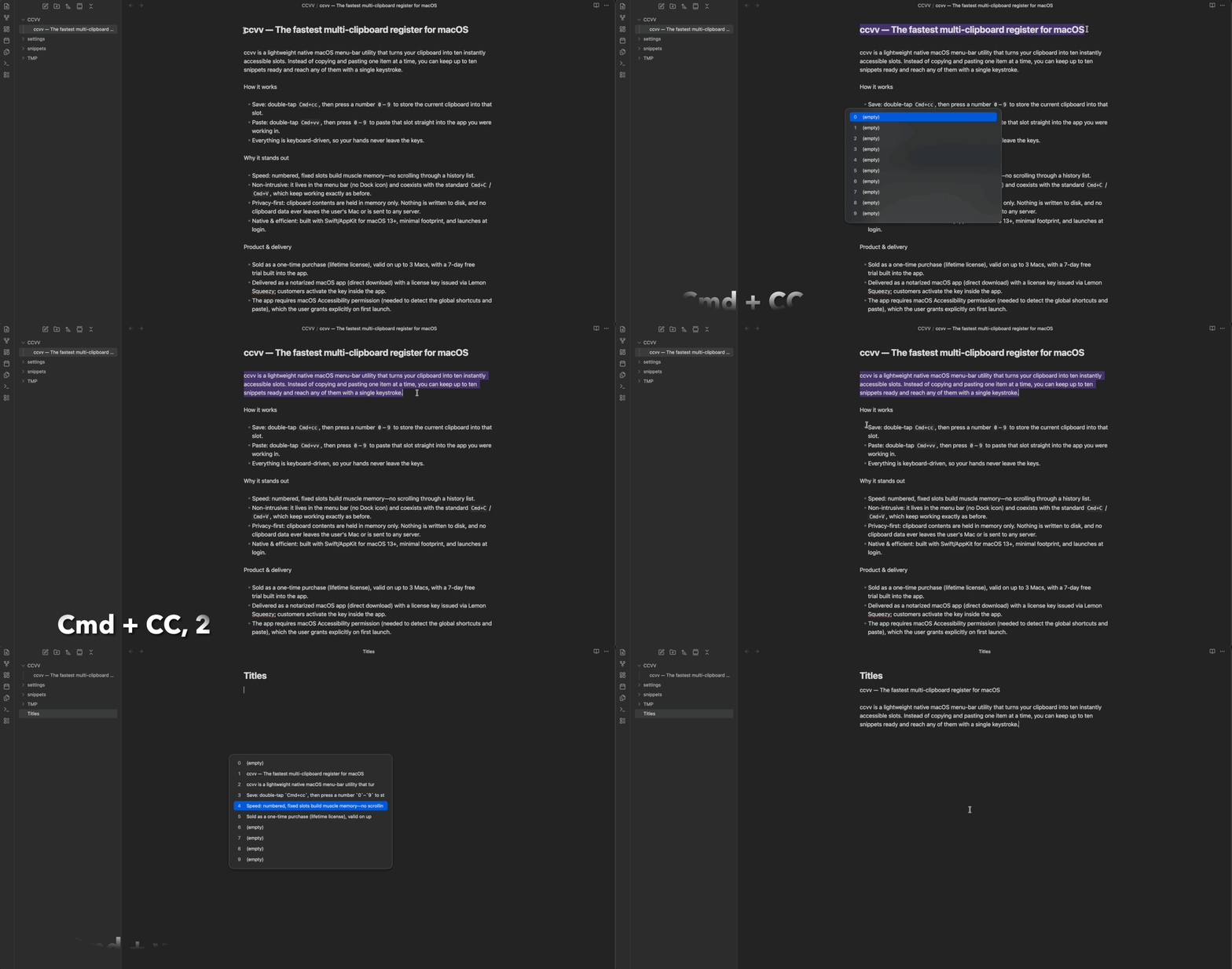
Two taps, one number.
- 1 Hold Cmd and tap c twice, quickly
- 2 The first Cmd+C is a normal OS copy
- 3 The second c opens the slot picker
- 4 Release Cmd, press 0–9 → saved to that slot
- 1 Hold Cmd and tap v twice, quickly
- 2 The second v opens the slot picker
- 3 Press 0–9 → pasted into your last app
- 4 Press Esc to cancel anytime
Buy once, keep ccvv forever.
Try ccvv free for 7 days — start the trial anytime with the Use Trial button in the app, no card required. When you’re ready, activate with a one-time license. No subscription.
License key arrives by email — activate it in the app
- Lifetime license Buy once and use it forever — no expiry, no recurring fees.
- Ongoing updates Get new features and improvements at no extra cost.
- Use on 2 Macs Activate on up to 2 Macs with one license.
Frequently asked
Why does it need Accessibility permission? +
Detecting the Cmd+cc/vv double-tap and synthesizing the paste requires CGEventTap, which macOS gates behind Accessibility permission.
Why isn’t it on the Mac App Store? +
The App Store sandbox forbids global key hooks and Accessibility-based pasting, so ccvv ships as a notarized DMG from ccvv.app.
When is the Windows version coming? +
A native Windows build is in development. For now only the macOS download is available — the Windows download will appear on this page as soon as it’s ready.
Does a normal Cmd+V get slower? +
Only a single Cmd+V is delayed ~250ms to detect the double-tap. Cmd+C and Cmd+cc have no delay.
Do slots disappear on reboot? +
Yes — slots are kept in memory only, so they reset when you reboot or quit the app.
How do I activate a license? +
Download and install the app, then activate your license from inside the app. One license works on up to 2 Macs.